Lessons were hand-built in Canva, 58 slides for a single beginner session. The teaching was already solid and very regular, about a dozen repeating patterns, but every deck was laid out by hand. The teachers are volunteers, so a tool that is merely prettier than Canva and not faster won't be used.
— Case study 13
Dove Lesson Studio
Volunteer teachers type a lesson and get branded slides and a handout

project overview
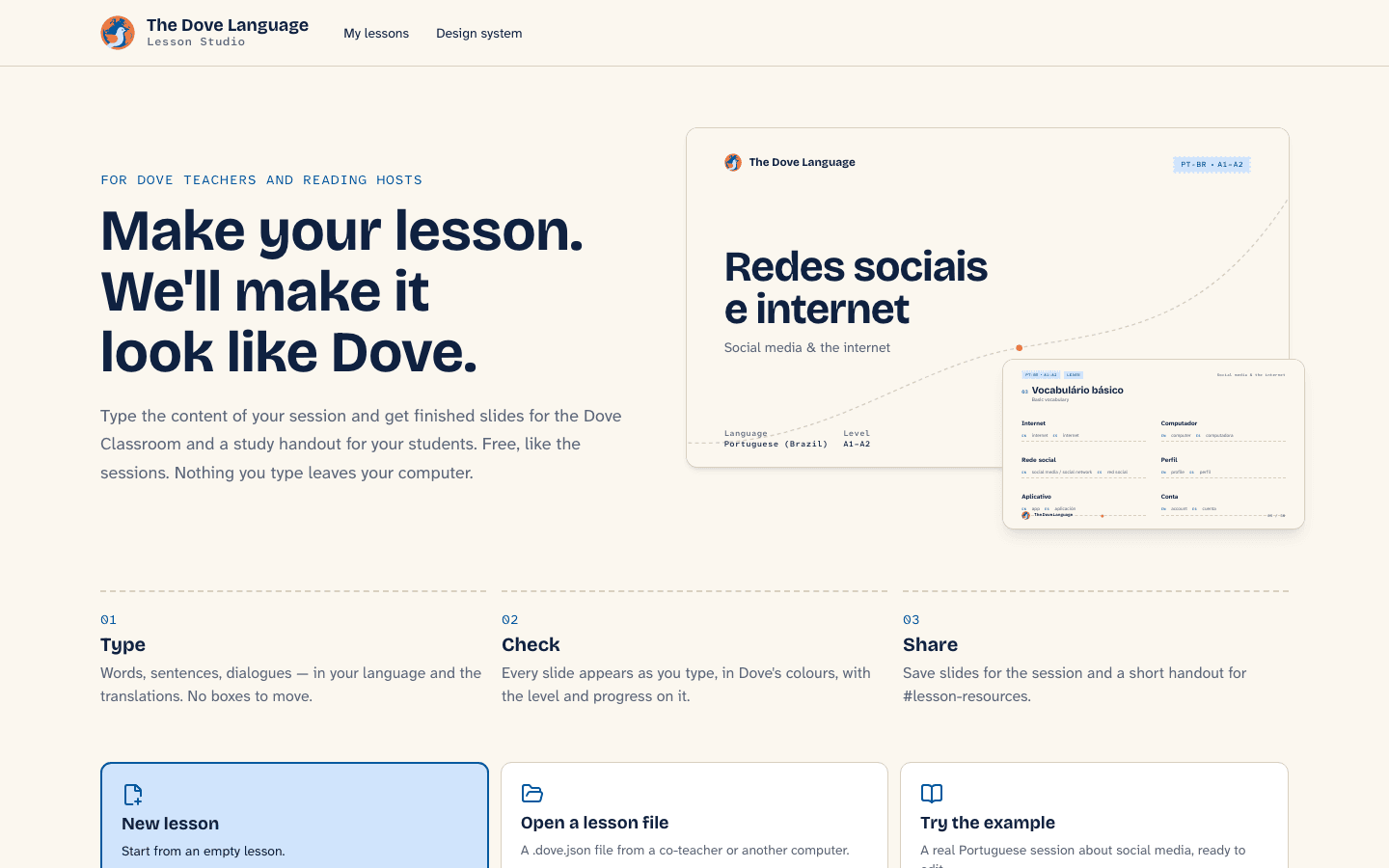
A free tool for The Dove Language, a Discord community of about 4,600 people learning languages together: type a lesson, get 16:9 slides for the voice classroom and an A4 study handout as PDFs. Plus Airmail, the community's design system.
shipped outcome
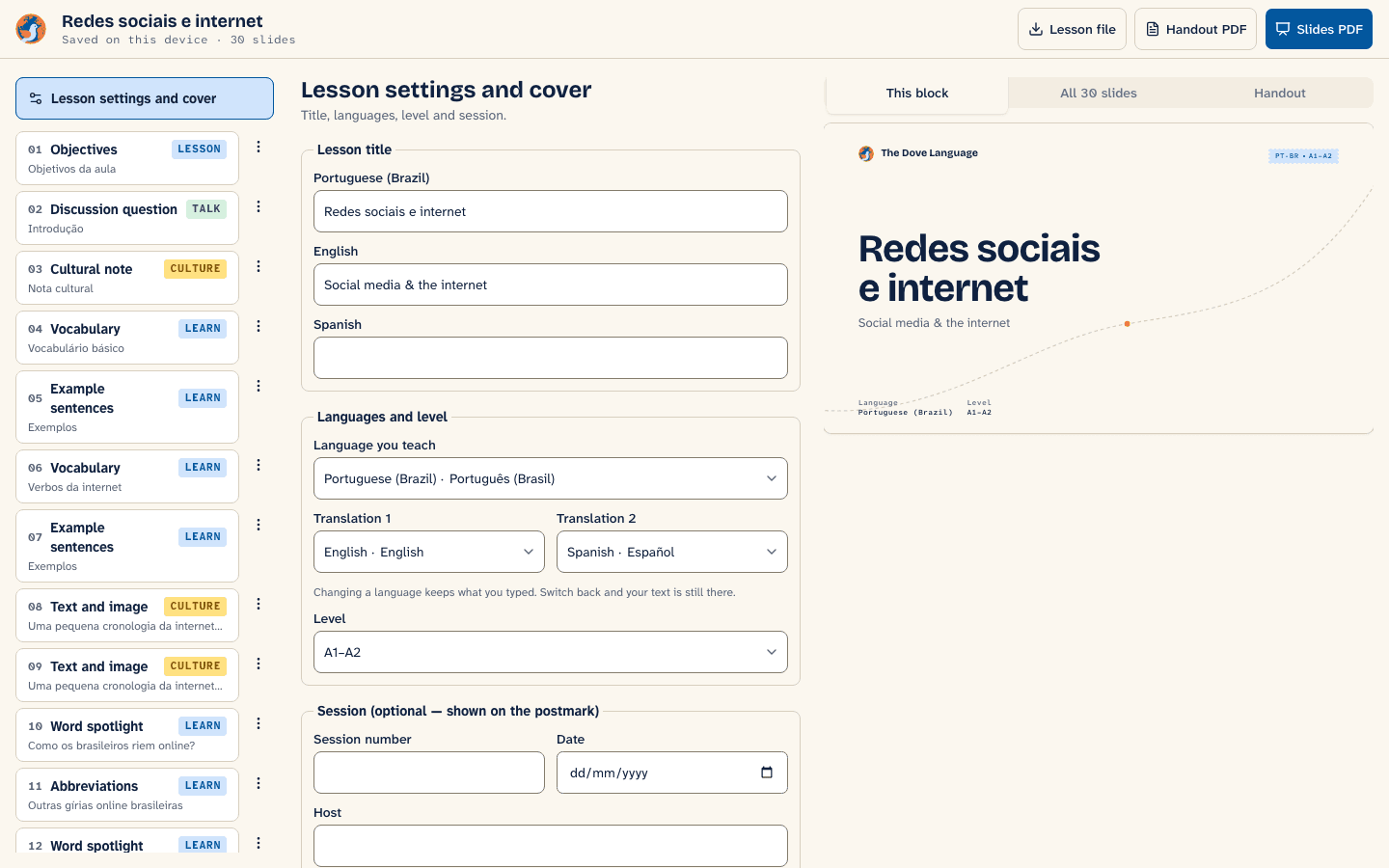
Studio v1 works end to end: landing, editor with live preview, autosave to the device, a lesson file to share, slide and handout PDFs, and the design system rendered live from the real templates. Airmail 0.1 is proposed and awaiting review by Dove's staff.
- Role
- Brand system, product design and engineering
- Timeline
- September 2026 — v1 live
- Year
- 2026
- Team
- Solo delivery
The patterns became blocks and the lesson became data: one schema defines it, types are inferred from it, and it validates imported files. A pure pagination function splits blocks into slides, numbers sections and derives the cover and answer keys; the preview measures every slide and warns rather than clipping. Slide and handout components are pure, so the editor preview, the print routes and the design-system page render the same code. The browser's print engine makes the PDFs, and slides are sized in container units so one slide is exact at 1920 pixels and correct at 320.
Studio v1 works end to end: landing, editor with live preview, autosave to the device, a lesson file to share, slide and handout PDFs, and the design system rendered live from the real templates. Airmail 0.1 is proposed and awaiting review by Dove's staff.
— Interface evidence
The product, not a placeholder
These are the verified interface captures from the project build. Scroll inside taller frames to inspect each complete page.


— Delivery process
From operating constraint to shipped system
The work is sequenced around risk. Domain rules and failure states come before interface polish; automation arrives before handoff.
Audit the real deck
A 58-slide session was read slide by slide; the pedagogy was kept, only the layout work was taken away.
A system with one idea
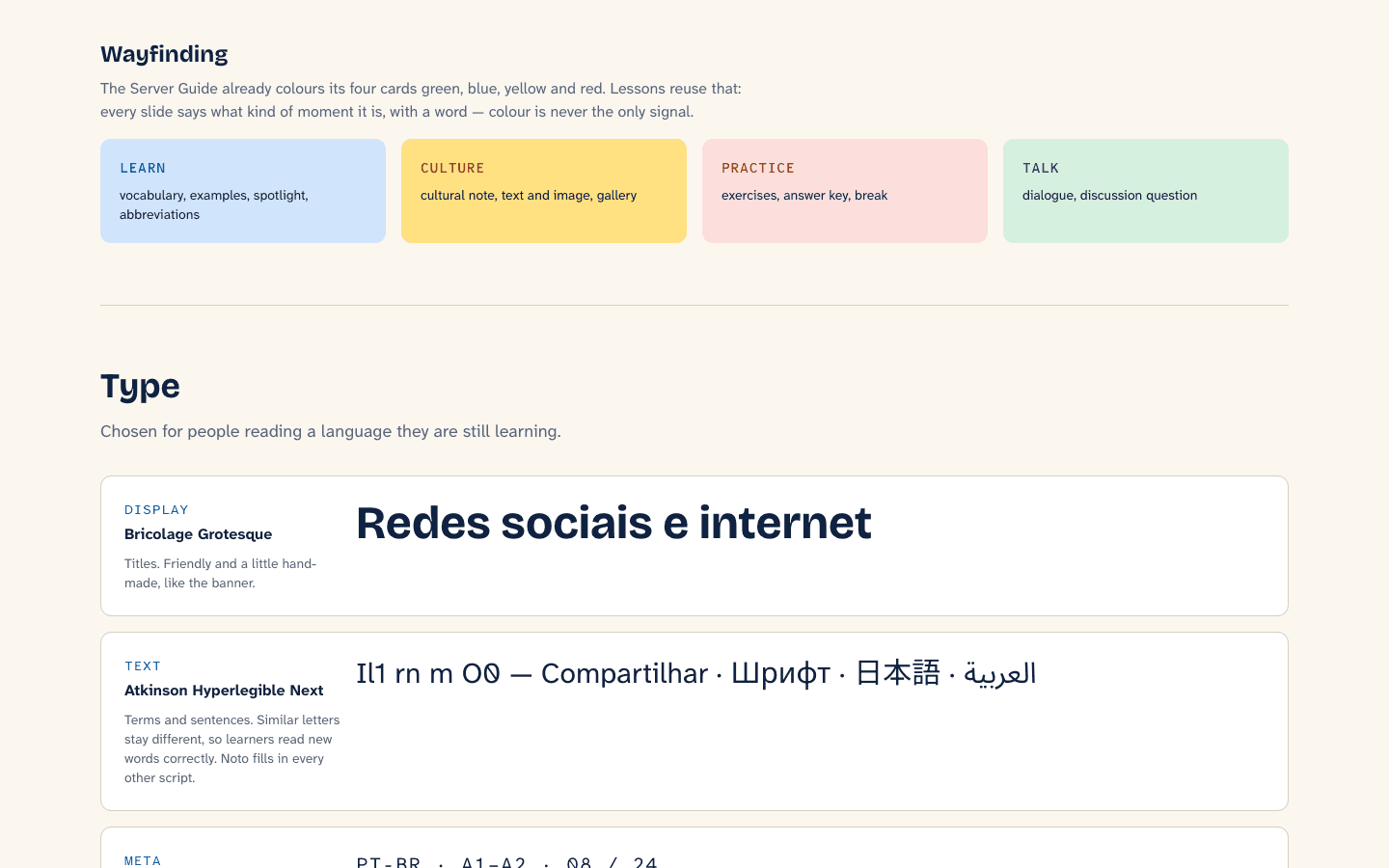
Every lesson is a letter between two languages: a flight path, a stamp, a postmark and paper, and nothing else is decoration.
The lesson is data
A schema, a pure pagination function and pure renderers, so preview, print and documentation can't disagree.
No backend on purpose
Drafts autosave on the device and travel as files, because accounts would mean a login before anyone saw the value.
— System architecture
Clear boundaries, explicit responsibilities
Each layer has one job and a narrow contract. That keeps external services replaceable and product behavior testable.
lesson / a1–a2
58 slides → blocks
the layout follows the system
airmail devices
flight path · stamp · postmark · paper
outputs / one renderer
zod lesson model
Types inferred, imports validated; a target language plus up to two translations.
paginate()
Blocks to slides by estimated height, with a measured overflow warning in the preview.
Pure slide and handout components
One renderer for the studio, the print routes and the design-system page.
The browser's print engine
Per-route page size, real selectable text, no server and no uploaded images.
— What shipped
Product capabilities
Faster than the old way
Teachers write content in their language and the translations; the deck lays itself out.
Any script
Fallback faces for Japanese, Korean, Chinese, Arabic, Hebrew, Devanagari and Thai, and right-to-left lessons.
Colour is never the only signal
Each kind of slide carries a word as well as a colour, and every text pair was measured against AA.
— Engineering pressure
Challenges resolved
Never clip a lesson
Height estimates can be wrong for unusual scripts, so the preview measures every rendered slide and warns instead of silently cutting teaching material.
A slide with no width in print
The first PDF export rendered every slide at zero pixels; the print deck needed an explicit width, which also removed a trailing blank page.
verified project destinations
next transmission
Need a system this deliberate?
Bring the operating problem. We will shape it into a clear product brief and a buildable next step.
Start a project